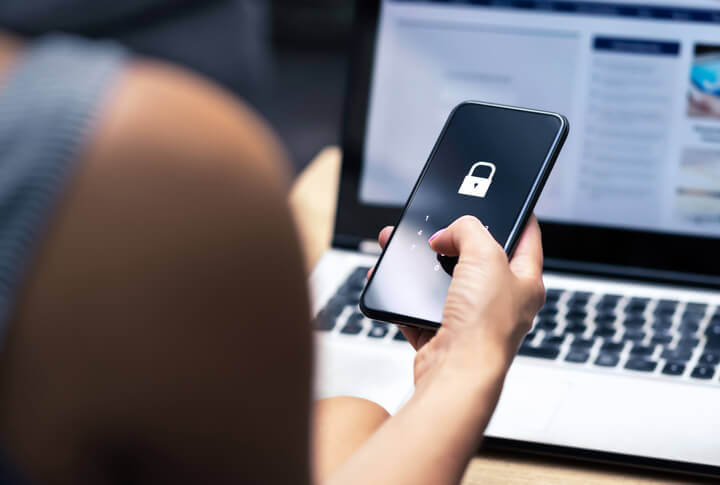
Smartphones, tablets, and laptops have transformed the modern workplace, enabling employees to access email, cloud applications, customer information, and company files from virtually anywhere. That flexibility improves productivity, but also creates opportunities for sensitive business information to be lost, stolen, or compromised. For small and medium-sized businesses in New Jersey, a software platform known as Mobile Device Management helps maintain security while employees work from multiple locations and devices. MDM allows your organization to centrally enforce security policies, configure devices, control applications, and respond quickly when a device is lost or compromised.
The National Institute of Standards and Technology specifically recommends centralized management of mobile devices as part of an organization’s security strategy. Its current NIST SP 800-124 Revision 2, Guidelines for Managing the Security of Mobile Devices in the Enterprise, addresses both company-owned and personally owned devices. NIST recommends managing mobile devices throughout their entire lifecycle—from deployment and configuration through use, maintenance, and eventual disposal. Following NIST protocols is virtually impossible for small businesses without an assist from an MDM platform.
We’re all familiar with the spy film trope where a lost thumb drive threatens the future of the free world, and a team of highly skilled operatives must recover the device by flying to numerous exotic locations and blowing up tons of infrastructure. These days, the devices containing sensitive information are tiny. But back in the bad old Cold War days, they were considerably larger. One such device was 176.5 feet long and weighed about 950 tons.
On January 23, 1968, the USS Pueblo, a U.S. Navy intelligence-collection ship was operating in international waters, when North Korean naval forces seized and boarded her. This occurred only days after North Korean agents had attempted to assassinate South Korean President Park Chung-hee, so tensions were high.
The Pueblo carried sophisticated cryptographic equipment, keying material, operating manuals, classified publications, and intercepted intelligence. When North Korean vessels ordered the ship to stop, Commander Lloyd Bucher attempted to evade them. North Korean forces opened fire, forcing Pueblo to stop. One American sailor, Fireman Duane Hodges, was killed, and many others were wounded. North Korean naval fighters boarded the ship and took the vessel to Wonsan. The remaining 82 crewmen were imprisoned for 11 months. Pueblo’s crew attempted to destroy the high-tech equipment and documents, but the ship lacked an effective rapid-destruction system for the volume of classified material aboard.
The security damage was extensive. An NSA assessment determined that Pueblo had carried multiple types of cryptographic equipment, associated keying material, maintenance manuals, operating instructions, key lists, authentication codes, and classified communications material. The NSA concluded that most of the equipment, keying material, and instructional publications had been compromised.
The ship also contained thousands of sensitive intelligence messages. NSA assessments determined that some captured operational-intelligence broadcasts revealed information about U.S. electronic surveillance of Communist military forces. Such information could help adversaries understand what the United States could intercept, how American intelligence operated, and what communications or military activities were being monitored.
The ultimate damage was greater than the loss of a ship or a collection of classified documents. The compromise potentially exposed U.S. cryptographic technology, security procedures, intelligence-collection methods, and communications practices. The State Department’s historical record describes the resulting compromise to U.S. cryptologic collection, processing, and reporting operations as without precedent in U.S. cryptologic history.
The crew was finally released on December 23, 1968, after 335 days of captivity, but North Korea retained Pueblo and its captured material. The United States subsequently undertook extensive damage assessments and changed security procedures. Some consequences became clearer years later, particularly after the discovery of the John Walker spy ring, which had separately provided the Soviet Union with U.S. naval cryptographic information and keys.
How does this relate to New Jersey businesses today? With mobile workforces on the Internet, we could say that every small business is floating in international waters. Unless you want your company seized and boarded by a foreign power, you need to secure all of your mobile devices.
A company laptop sitting inside an office is protected by layers of physical and network security. A smartphone carried by an employee throughout the day is exposed to substantially different risks.
Devices can be:
A single lost smartphone could potentially provide access to corporate email, cloud storage, customer records, and business applications. Small companies without dedicated cybersecurity personnel have difficulty monitoring devices individually. MDM centralizes that activity.
A principal advantage of MDM is the ability to establish standardized security requirements across an organization’s fleet of devices. An MDM platform can require strong passwords or PINs, enforce automatic screen locking, manage encryption settings, restrict certain device functions, and help ensure that security configurations remain consistent.
This is particularly valuable when employees use distinct types of devices: iPhones and Androids, Windows PCs and Mac laptops and tablets. Rather than relying entirely on individual employees to configure their devices correctly, an MDM strategy provides centralized security controls.
Lost and stolen devices are an unavoidable risk, but MDM can substantially reduce the potential consequences. Depending on the platform and configuration, administrators can remotely lock a device, remove corporate data, or initiate a remote wipe. Organizations can also use policies that keep sensitive information within managed applications rather than allowing employees to copy it freely between personal and business applications.
This distinction becomes particularly important with Bring Your Own Device programs. NIST’s guidance specifically addresses personally owned devices and recommends security measures that protect organizational information without necessarily requiring management of the employee’s entire personal device.
MDM can also help businesses control which applications are installed or used for business purposes. Organizations can establish approved application lists, restrict potentially risky functionality, and help ensure that required business applications are properly configured. MDM can also require that a device meet specified security conditions before it is permitted access to corporate resources.
Unpatched devices allow attackers to exploit vulnerabilities. MDM helps IT administrators monitor operating-system versions and enforce or encourage required updates. Centralized management also lets administrators peruse the organization’s device inventory. They can spot devices that are missing required security controls, no longer meet company standards, or should be removed from service.
MDM is not a substitute for comprehensive cybersecurity; it works best as one component of a broader program that includes multifactor authentication, endpoint protection, secure backups, email security, employee security awareness training, and incident-response procedures. The NIST Cybersecurity Framework 2.0 is specifically designed to help organizations manage cybersecurity risk, and NIST has published a Small Business Quick-Start Guide specifically for small and medium-sized businesses.
A well-designed MDM program allows employees the flexibility to work from virtually anywhere while giving management greater control over company information. For New Jersey businesses, that can mean protecting customer data, financial information, intellectual property, and confidential communications without imposing unnecessary restrictions on legitimate business activity.
As a Managed IT Services Provider, KMF Technologies helps small and medium-sized businesses afford, implement, and maintain MDM platforms. Our experienced IT pros help companies establish appropriate policies, enroll devices, monitor compliance, manage updates, and respond when a device is lost, stolen, or compromised.
Mobile work gives NJ businesses like yours a competitive advantage. With the help of KMF Tech, you can keep company data protected—even when employees and their devices are constantly on the go. Call us today.